
Hercules: Restoring Archived Data
Hercules will allow users to restore files that have been archived to disk and automates the process by not requiring users to remember where the data files were stored.

The process from a user perspective is straight forward.
Request File to be Restored
Try to open the manoeuvre of interest as normal (Aurora Dataviewer, Rawviewer, or Hawk GUI playback).
When a user clicks on an unavailable Manoeuvre in the DB Tree, if possible, the system will try to restore it.

In Rawviewer, if Raw Files are not on disk, the software will prompt the user asking to restore the files.

If the files are not available, the system will prompt if they should be restored.
In Tornado, if a submitted analysis job is pending, Queue Manager will automatically request the file to be restored by Hercules. This is what pending jobs look like. One reason jobs may be pending is because the files were deleted off Hercules and need to be restored. Other reasons include that the job hasn't been checked yet by Proc Engine or that the files still need to transfer from a Hawk.

Restore jobs will also be created when trying to playback data on Hawk GUI that has been deleted from disk or trying to create an Export Media in Hercules GUI.
Hercules Restore Job.
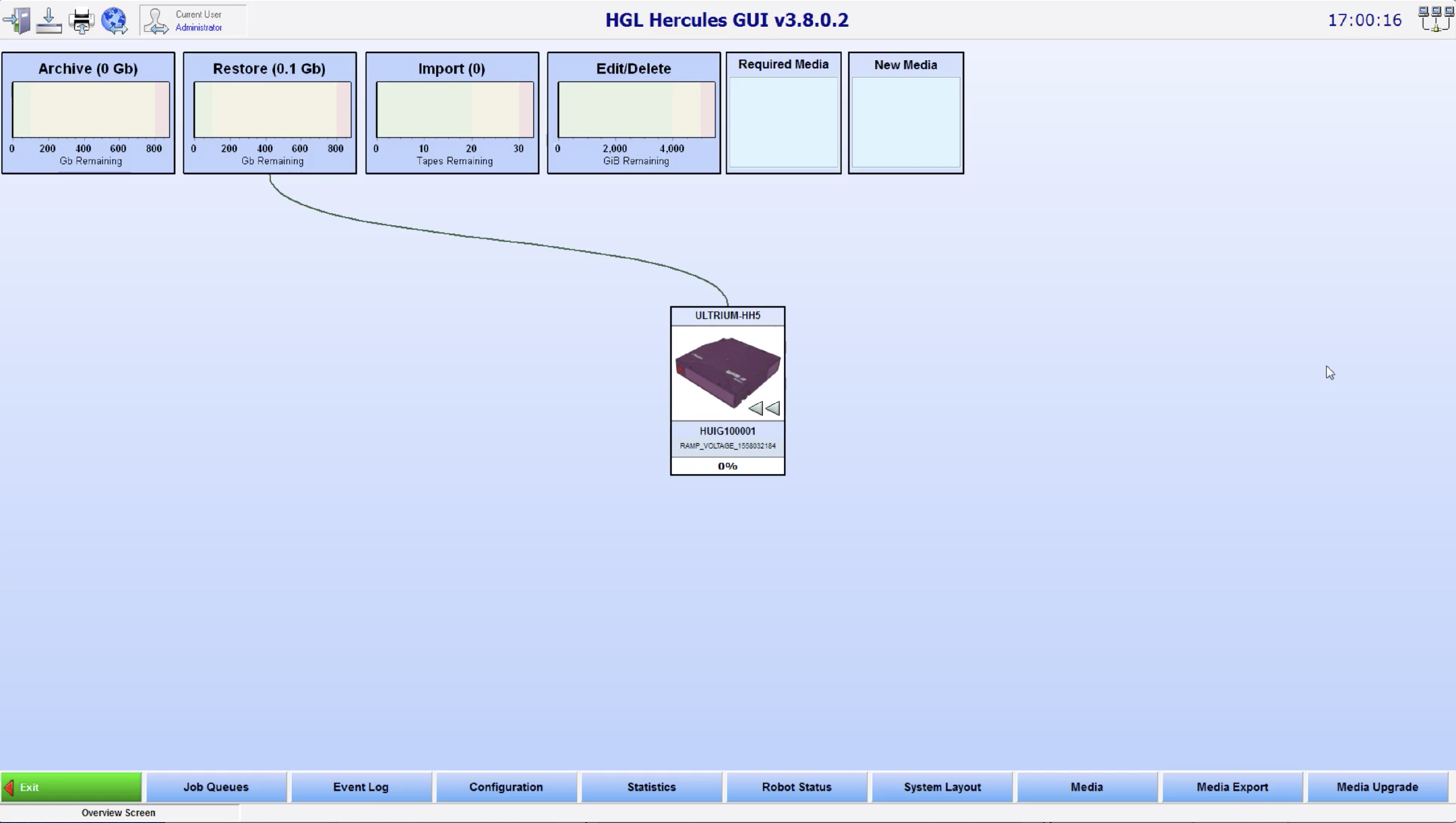
Once the restore request has been made, Hercules will create the restore job. Hercules GUI will display what Media (tape, hard drive, etc) is needed in the Required Media list.
- If a Tape Library is present and the Tape is loaded, the files are seamlessly restored.
- If the Media / Tape is not loaded, the Required Media list will show what Media to load to the Hercules system.
- Users will need to load the tape into the tape drive / Library or attach the hard drive to the Hercules system.
If a Tape Library is present and the Tape is loaded, the files are seamlessly restored.
Once the Media is loaded, Hercules will automatically restore the required files to the proper location on the disk so that requested action can be performed.
 Restore Job Details
 Restore Job Details
To view the Restore Job list, right click on the Restore Queue in Hercules GUI and select Details.

Hercules will open the Job Queues page with filtering to show all of the restore jobs.
Click on the Restore Job to see its size, engine details, and files that will be restored. If the job is urgent, its priority can be increased so that it will run once a current job is finished.
