
Dataviewer: Spectral Files
Spectral files are frequency domain data files where data are stored in a format that complies with the New HGL File Format Schema. They provide the ability to generate and store a user configurable number of spectra with a user configurable number of lines (spectrum size). This feature offers a solution to the limitations of the standard ZMod file format, where the number of spectra and the FFT lines are fixed.
Generating Spectral Files
Spectral files are generated from the right-click menu of the Averaged FFT plot. You must then have a Time History file loaded.
Settings
The settings dialogue form appears when selecting option Generate Spectral File 
Section: Individual FFT Settings
This contains the usual parameters for computing an FFT
Section: Averaged Spectrum Characteristics
This section is for defining the number (or overlap) of individual FFT's that constitute a single averaged spectrum
Section: Time Range
Define the time region over which the spectral data must be generated. The time region can be defined graphically from the Envelope plot on the Averaged FFT page.
Section: Reference Selection
Spectral files are generated against time or speed. Select your reference in this section. If you are generating against speed, you must make sure you have created a tacho channel manually for the Time History file you are viewing. The name of the tacho channels can be selected from the list called ‘Tacho’
Section: Spectrum Distribution Settings
This section is for defining the number (or overlap) of averaged spectra.
Viewing Spectral Files
From the main menu click on File -> Open HGL Files (Spectral, Wavelet...).
Browse the tree view to the desired location and select your file. The name of the file will be slightly different, as a time stamp has been added as a suffix when it was created. 
Your spectral file data will be display as for standard ZMod data on the Default ZM page.
The file info grid (top right) shows details of the settings used for generating the spectral file. 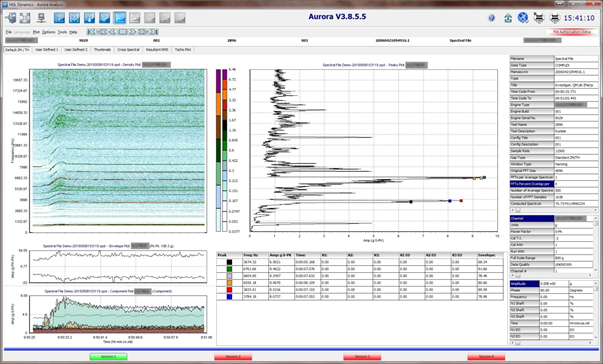
Most features used for standard ZMods are available for spectral files, so you will be able to perform the same actions.