
System Setup Error
Any anomalies detected in the system, or any device in an error state or not the expected state will be signaled in 2 ways:
- The global system status indicator in the top right corner will turn red
- The device or devices causing the error will flash in red.
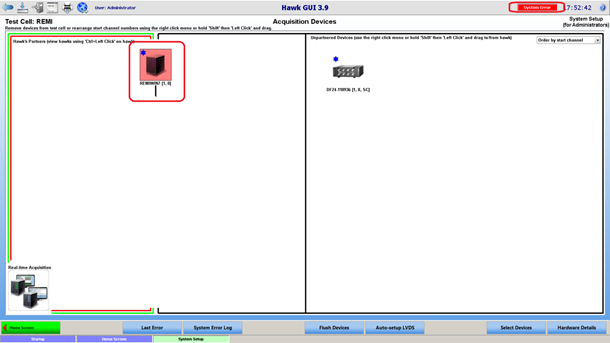
In the example above, the Hawk is flashing red because it has no attached device (the only acquisition device available is on the right side, which means un-partnered), and therefore has 0 channels.
The Hawk would flash red in a similar way if the Hawk machine (the machine hosting the Hawk acquisition engine) was offline. In the case where the Hawk is no longer used, and is going to be replaced by another Hawk, flushing devices (flush device button in the navigation bar) will get rid of the offline Hawk. The flush device function clears all device information that is currently stored, and it gets repopulated as devices are re-detected in the system.