
Calibrating a CTU (Voltage)
Requirements:
- 2X DMM's (34465A, 34410A, Etc)
- 1X Signal Generator (33500B,33510B,33220A, etc)
- 1x Lemo8 to BNC cable
- 1x BNC T
- 2x BNC cables
- Calibration PC Running STU software (1.6.5.3) connected to the units
Connections:
Just like normal operation of the CTU, the output of the Signal Generator should be T'd between the CTU's Ext Sig Gen 1 BNC and the Input of the first DMM.

The second DMM will connect to the CTU output one channel at a time during the calibration process using a Lemo8-BNC cable.

Calibration Process:
The current calibration process takes about 35 minutes per channel, it is highly recommended the user is attentive to this process, between channels you may hear relays clicking fairly rapidly until the cable has moved. This can life the relays if left for long periods of time.
- Launch the STU software
-
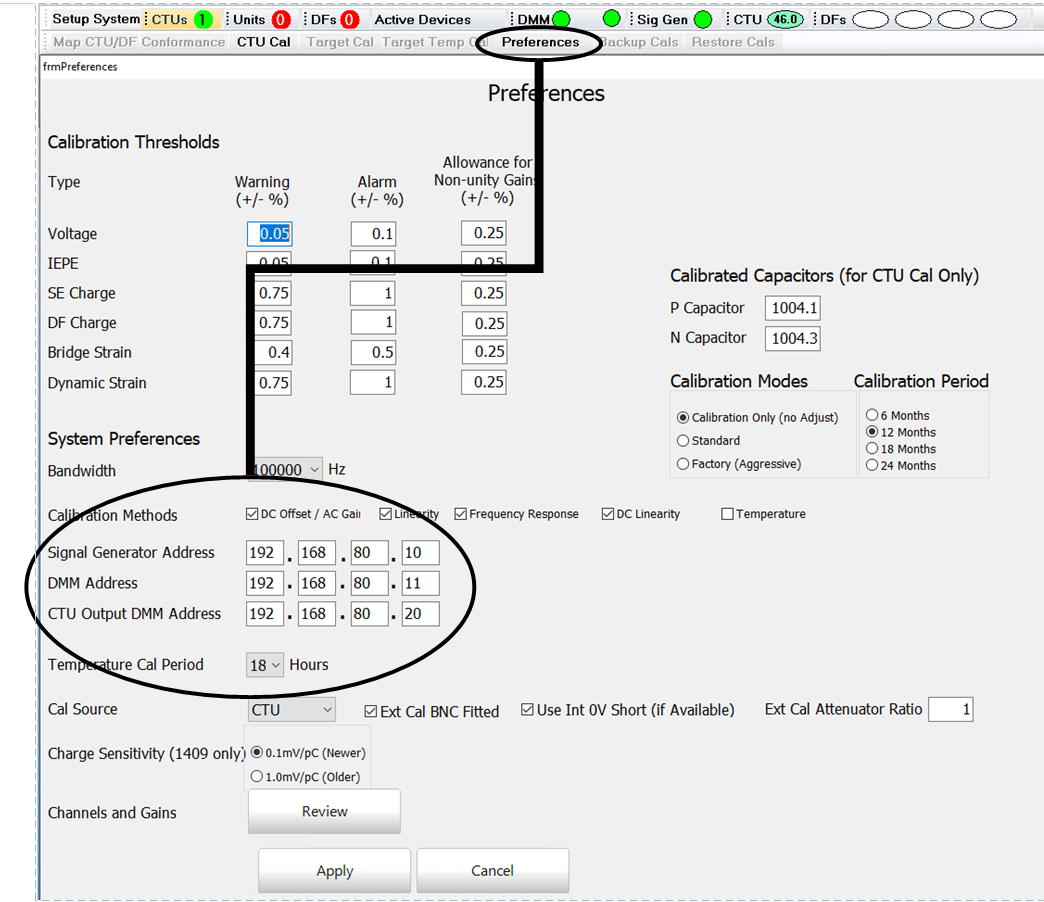
Visit the Preferences page, set the IP addresses of the Sig Gen, DMM, and CTU Output DMM, select Apply when finished.
- In System Setup, select the CTU to be calibrated then select CTU Only Mode then start, be patient as the STU Software configures the CTU.

-
First Select CTU Cal, then under the CTU Calibration Section next to Channel Outputs select Calibrate.

-
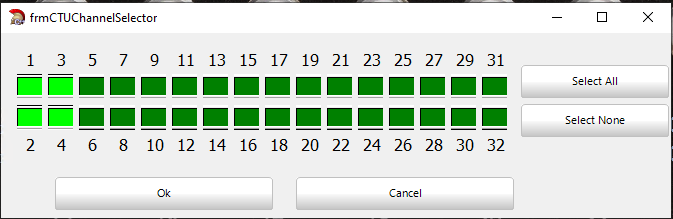
A channel selector will appear, select the channels you would like to calibrate keeping in mind each channel will take 35 minutes and the system should not be left unattended. Once the channels are selected connect the Lemo8-BNC cable to the first channel being calibrated and press 'OK'
-
A new window will appear as the calibration begins there are several steps to the calibration, you will hear the relays click within the DMM as it goes through the process. Once it finishes a channel at the top of this window it will say "Channel # Stage - Awaiting Connection" once the cable is moved the software will automatically begin calibrating that channel.
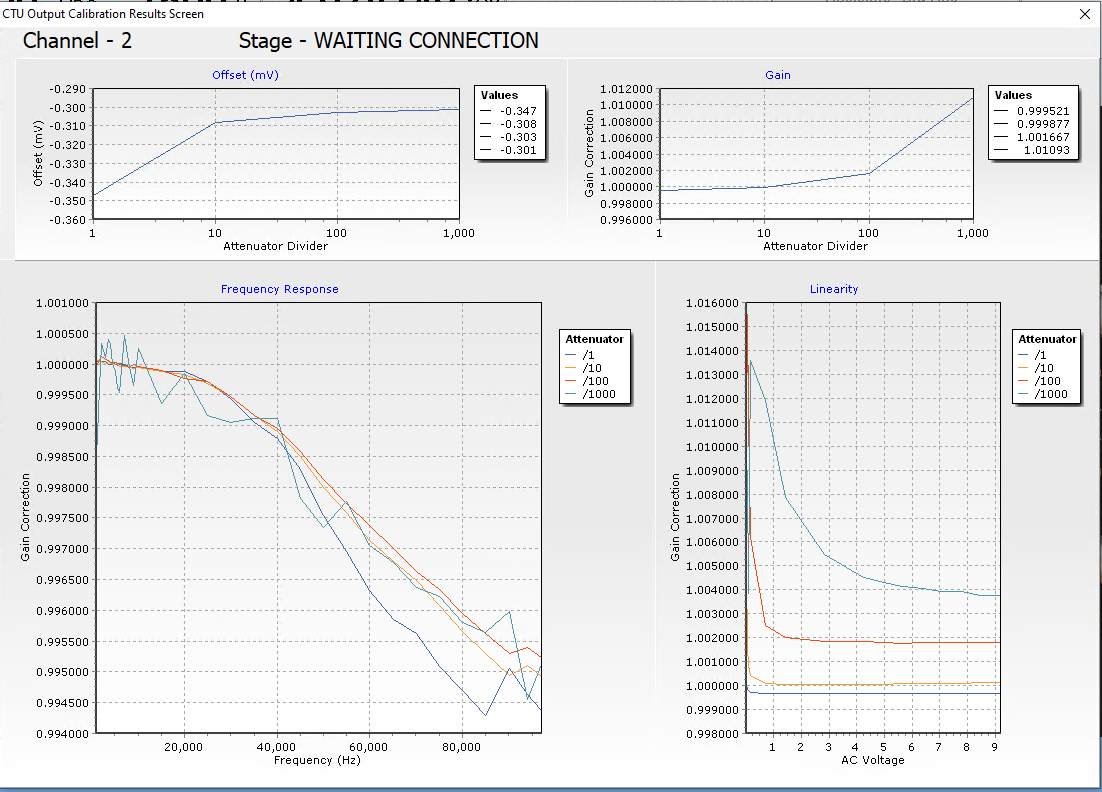
- Go channel by channel until the units complete, if at the end of the day you have channels left and you need to cancel the calibration wait till the end of the current channel and close the STU software. Disconnect Lemo8-BNC overnight.
- Once all channels are calibrated if multiple computers use this CTU copy the characterization files from C:\HGLTemp to the other PC's the required files are:
- AttenuatorDCLinearity-CTUV2-XXXXXX.csv
- AttenuatorFrequencyCurves-CTUV2-XXXXXX.csv
- AttenuatorGainCorrection-CTUV2-XXXXXX.csv
- AttenuatorLinearity-CTUV2-XXXXXX.csv
- AttenuatorOffsetCorrection-CTUV2-XXXXXX.csv
- DFChargeFrequencyCurves-CTUV2-XXXXXX.csv
- IEPEGainCorrection-CTUV2-XXXXXX.csv
- SEChargeFrequencyCurves-CTUV2-XXXXXX.csv
