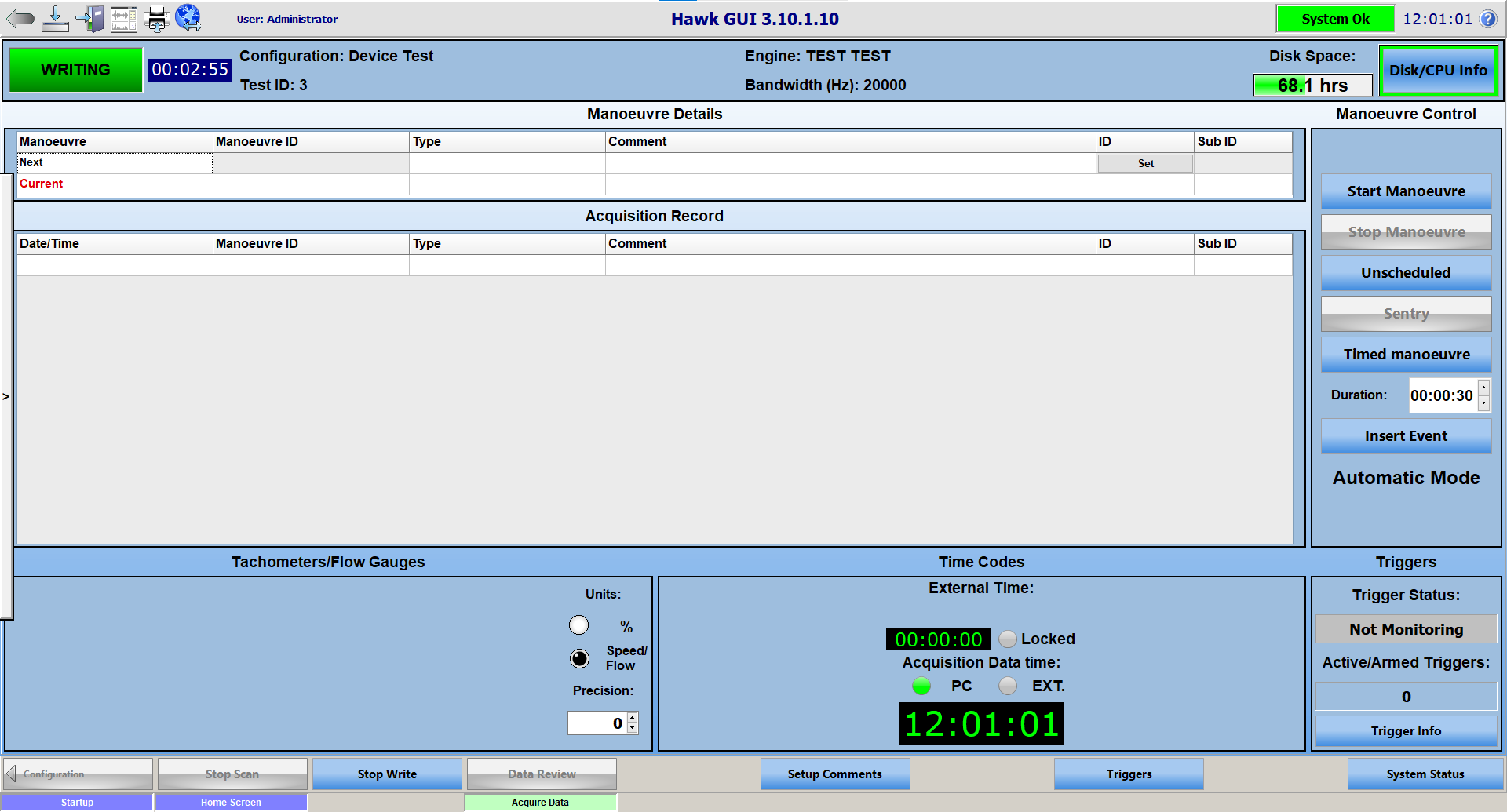
Recovery Mode
Beginning with Hawk Controller version 3.10.1.8, there is a new option to enable Recovery Mode. When Recovery Mode is active, Hawk Controller will attempt to navigate the system back to scanning / writing following an error with Hawk Controller, or the program closing unexpectedly.
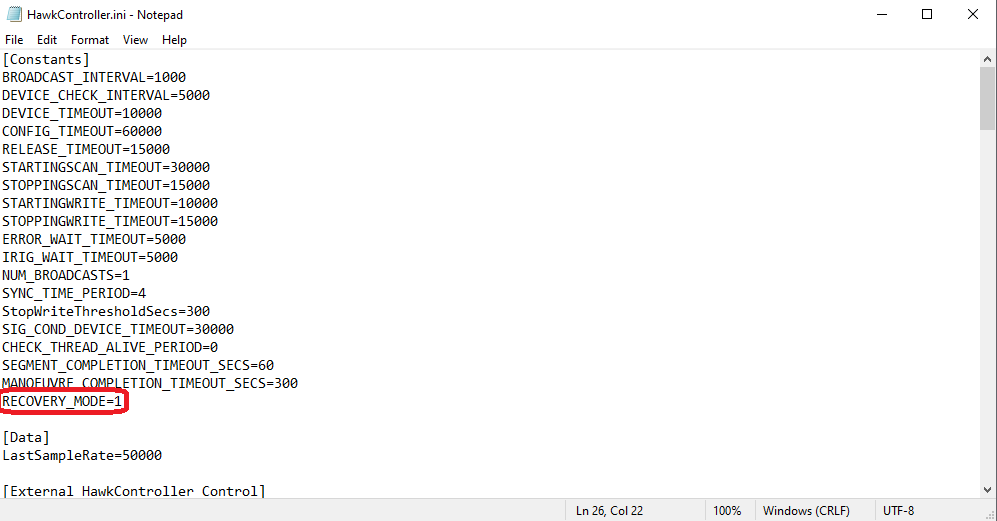
Recovery mode is disabled by default, to enable it, change RECOVERY_MODE=0 to RECOVERY_MODE=1 (0 being disabled, 1 being enabled).
There is a new configuration file named HawkController_StateRecovery.ini. This configuration file contains two segments, Settings and Recovery. The settings allow you to configure a few aspects of Recovery Mode, they are as follows:
WaitInIdleSeconds=10 | The time (in seconds; default: 10) between HawkControl restarting after an error / closure and HawkControl attempting to navigate back to scanning / writing.
WaitInScanningSeconds=10 | The time (in seconds; default: 10) between HawkControl attemping to being writing after a successful recovery attempt.
WaitInIdleFromStartupMaxNumRepeat=3 | The number of attempts (default: 3) HawkControl will make to navigate back to scanning / writing.
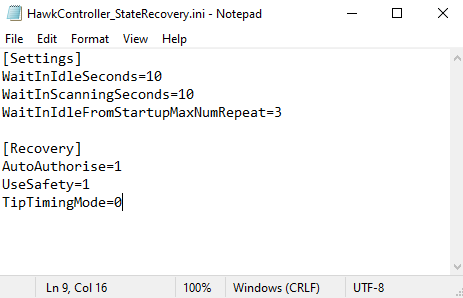
The Recovery segment of the file is used by Hawk Controller to save the current state of the system. It will use this information when attempting to navigate back to scanning / writing.

If Hawk Controller encounters an error or unexpected closure, and Recovery Mode is active, the system should resume scanning / writing on its own. When an error or closure occurs, you will be taken to the configuration page. To navigate back to the acquire data page, you must first go back to the home screen.
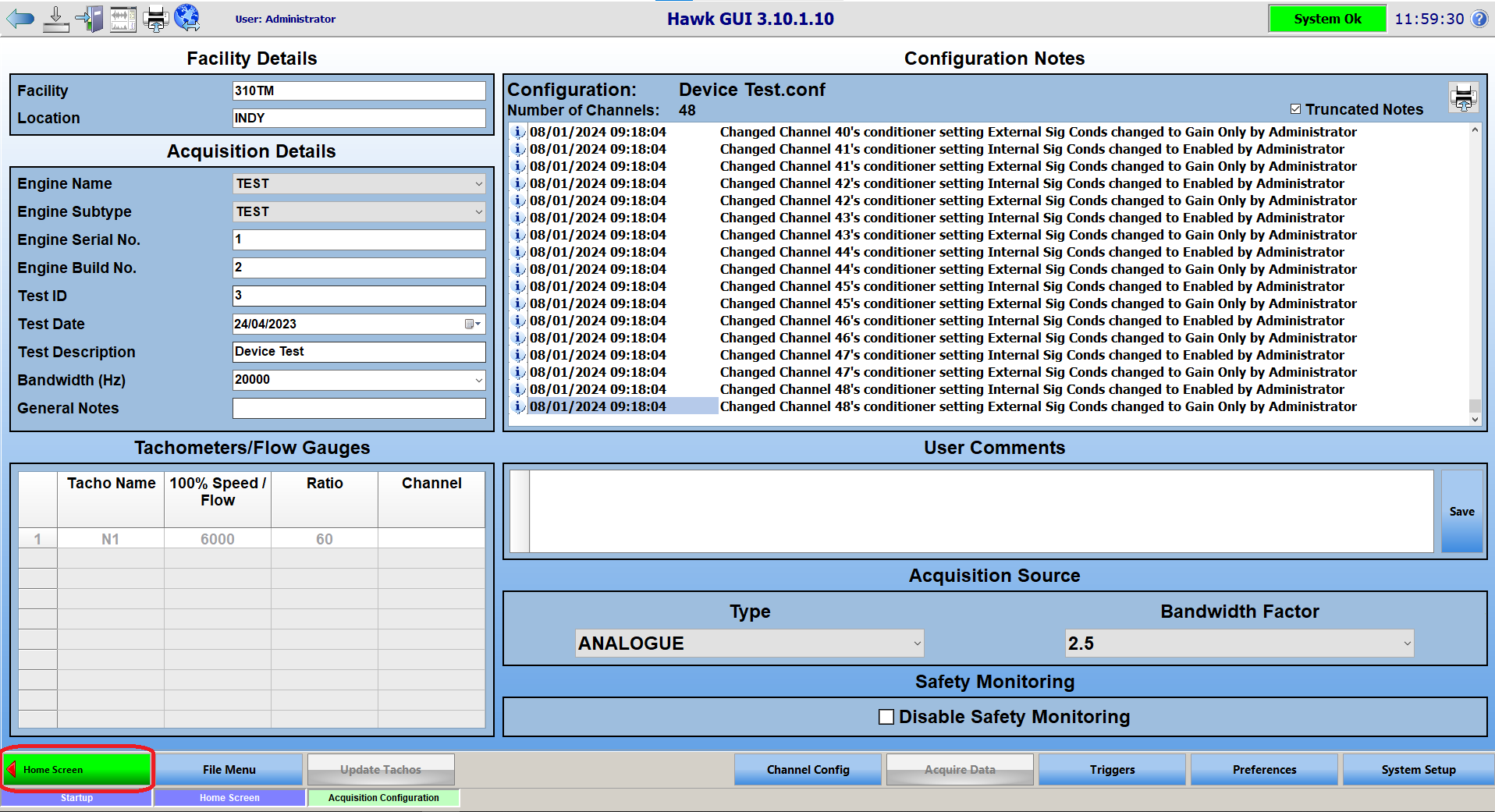
Once on the home screen, click on the synchronize button.
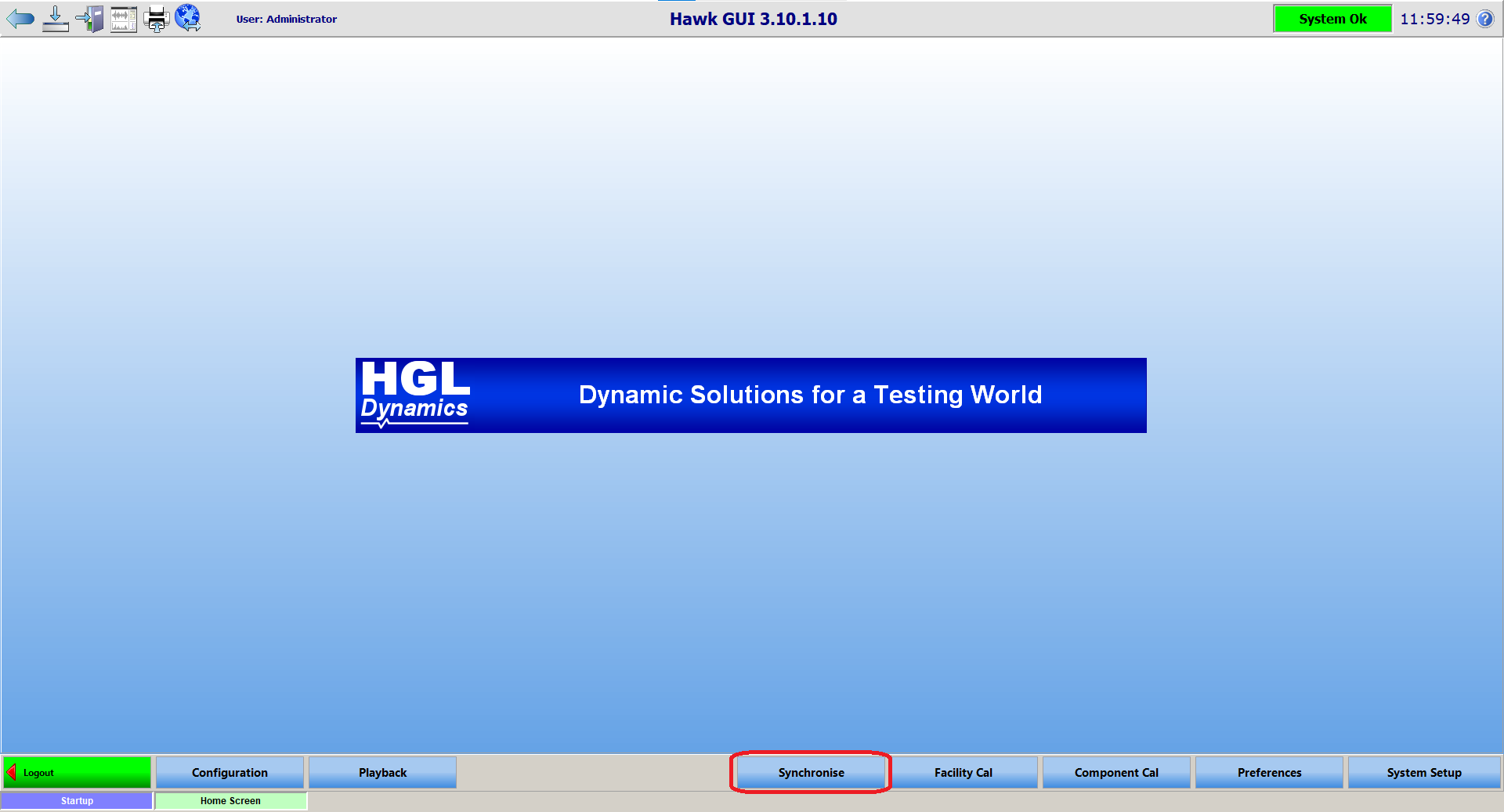
After a few seconds, HawkGUI should return to the acquire data page, with the system back to scanning / writing.